What is Magic Encyclopedia: Moon Light PC?
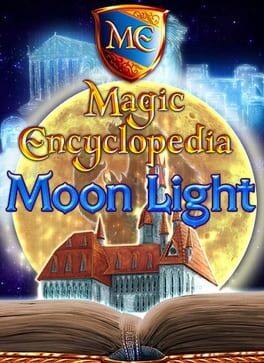
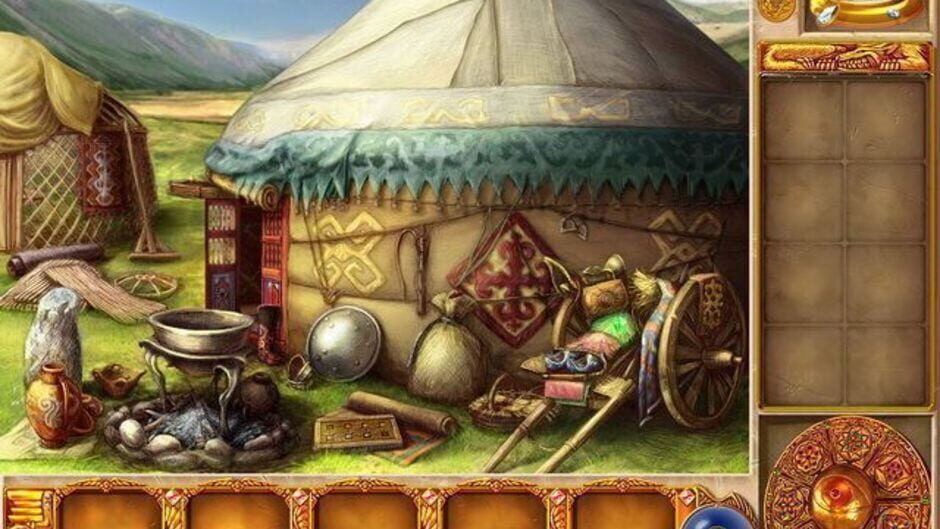
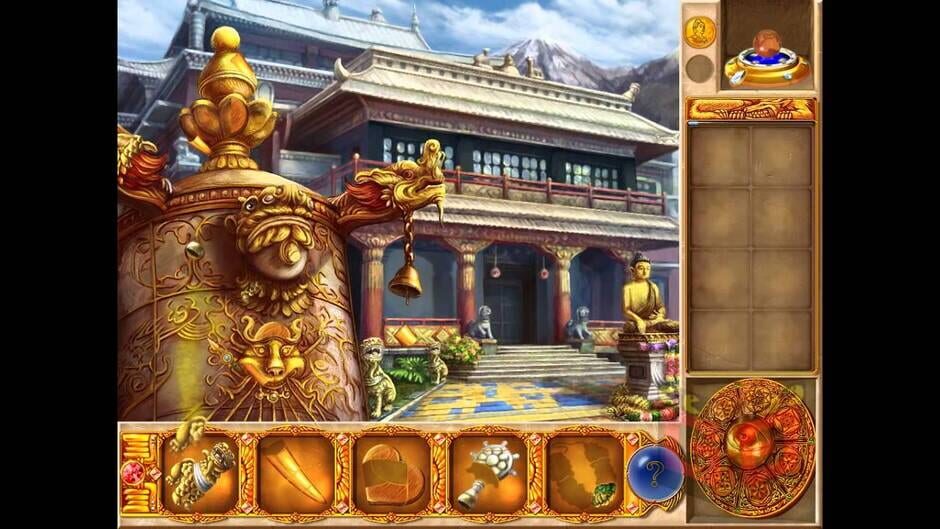
Katrina is an apprentice sorcerer at the Magic School. One day, she receives a letter from her brother and fellow student Roger, describing his search for the missing Professor Frobos. Troubled by recurring nightmares, Katrina decides to follow her brother to aid the investigation and help elucidate the mysterious disappearance. Magic Encyclopedia: Moon Light follows the same basic design of its predecessor, mixing hidden object and adventure gameplay mechanics. As the heroine, the player has to visit locations around the world, presented as a series of mostly static screens. The objective is to find and click on the scattered pieces of objects, to assemble and store them inside the inventory for later use. The bottom interface shows several segmented pictures of the broken objects, with each collected piece adding a new part and gradually reassembling them. The complete objects are stored in the inventory at the right side of the screen, from where they can be dragged and dropped on logical places on the scenery to solve puzzles. Some sections of the location have glimmering lights to indicate a zoomed view available, usually containing one of the missing pieces. The hint button shows the position of one of the hidden pieces, but takes some time to recharge after use. Some of the pieces can only be obtained after using an inventory tool or solving one of the puzzles. The puzzles take place on a separate screen, where some sort of mechanism has to be manipulated directly to solve it. These mini-games are varied, with logic puzzles about ordering cards, concentration, and other more original challenges. They can be skipped after a few minutes with the arrow button at the bottom. This page focuses specifically on the PC (Windows) version of the game, including prices, regions, activation methods and compatible storefronts.
How can I find the best price for Magic Encyclopedia: Moon Light PC?
We track live prices for Magic Encyclopedia: Moon Light PC from official retailers and trusted third-party marketplaces. Use the country, platform and service filters below to compare offers side by side and quickly spot the cheapest key that works in your region.
How do I redeem a Magic Encyclopedia: Moon Light PC game key?
After you buy a Magic Encyclopedia: Moon Light PC game key, you'll receive a secure digital code (often called a CD key or activation key). Redeem it through the correct platform client — for example Steam, PlayStation, Xbox or another supported launcher — and the game will be added to your library for download. Always double-check platform and region compatibility before you purchase to avoid activation issues.
About Magic Encyclopedia: Moon Light PC
Katrina is an apprentice sorcerer at the Magic School. One day, she receives a letter from her brother and fellow student Roger, describing his search for the missing Professor Frobos. Troubled by recurring nightmares, Katrina decides to follow her brother to aid the investigation and help elucidate the mysterious disappearance. Magic Encyclopedia: Moon Light follows the same basic design of its predecessor, mixing hidden object and adventure gameplay mechanics. As the heroine, the player has to visit locations around the world, presented as a series of mostly static screens. The objective is to find and click on the scattered pieces of objects, to assemble and store them inside the inventory for later use. The bottom interface shows several segmented pictures of the broken objects, with each collected piece adding a new part and gradually reassembling them. The complete objects are stored in the inventory at the right side of the screen, from where they can be dragged and dropped on logical places on the scenery to solve puzzles. Some sections of the location have glimmering lights to indicate a zoomed view available, usually containing one of the missing pieces. The hint button shows the position of one of the hidden pieces, but takes some time to recharge after use. Some of the pieces can only be obtained after using an inventory tool or solving one of the puzzles. The puzzles take place on a separate screen, where some sort of mechanism has to be manipulated directly to solve it. These mini-games are varied, with logic puzzles about ordering cards, concentration, and other more original challenges. They can be skipped after a few minutes with the arrow button at the bottom.
Game details
| Publisher | Big Fish Games |
| Developer | V-Games |
| Genre | Indie, Adventure |
| Game mode | single-player |
| Theme | Fantasy |
| Platforms | PC (Windows), Nintendo DS |
Screenshots from Magic Encyclopedia: Moon Light
Magic Encyclopedia: Moon Light does not have any videos to show at this time.